Creator guide
How to Make a Faceless TikTok Video Without a Camera (2026)
Make a faceless TikTok video without a camera or editor. Start from one idea, review the script and scenes, then export a 9:16 MP4 and upload it to TikTok.
You can publish a TikTok without filming yourself.
You need one idea, a 9:16 video with a spoken hook, burned-in captions, and a visual that matches each line. No camera. No timeline editor. This walkthrough uses MakeFacelessReels and one 60-second topic from start to download.
Use this prompt so the steps stay comparable:
Why unfinished tasks keep looping in your head at night, and how to close one loop before you sleep.
If you want the format definition first, read the faceless reels hub. If you already have the topic, open the AI TikTok video generator and follow the buttons below.
Key Takeaways
- One idea is enough. Keep duration at 60 seconds for the first file.
- Fix the first spoken line before you spend credits on images or motion.
- Captions are burned into the export. You upload the MP4 yourself.
- Auto-posting is not part of the current product.
- Faceless does not skip copyright, AI labels, or Creator Rewards rules.
What you need
- A browser
- One sentence topic (the prompt above is enough)
- A MakeFacelessReels account when you generate the full video (new accounts get 100 credits for a short test)
- 10 to 15 minutes for the first video
TikTok still wants a vertical file. The export is 9:16. You upload it yourself.
Step 1. Turn the idea into a reel brief
- Open MakeFacelessReels.
- Select Idea.
- Paste the prompt.
- Set Duration to 1:00.
- Click Create.
One minute is a useful first length. It is long enough for a hook, two or three beats, and a payoff. If you later apply to TikTok Creator Rewards, check the current one-minute video rule in TikTok Studio for your region. This tutorial is about making the file, not promising payouts.
If you already have narration written, switch to Script and paste that instead. Same later steps.
Step 2. Fix the hook before anything else
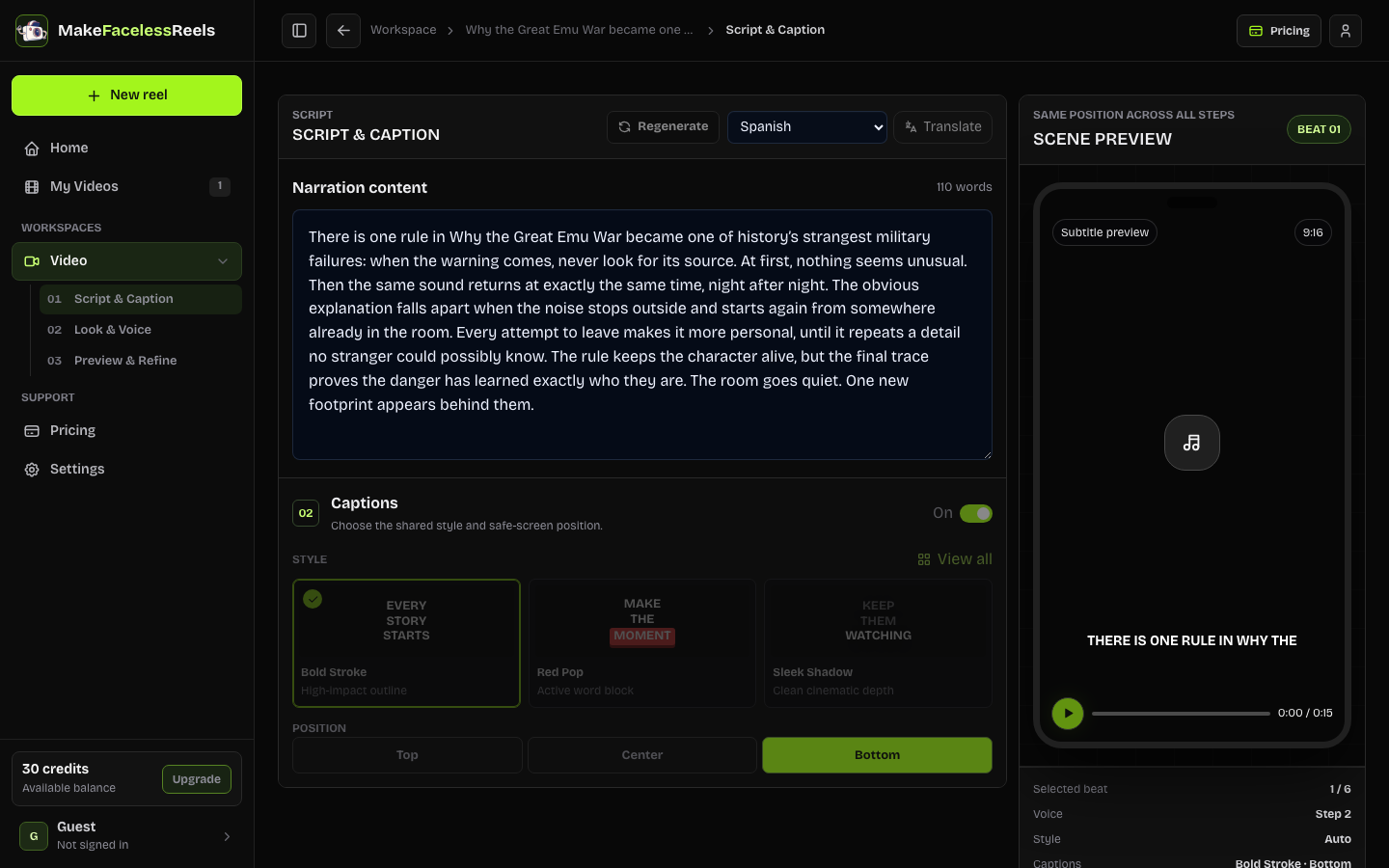
The next screen is Script & Caption. Wait until the draft narration appears.
Read only the first sentence out loud. If you would scroll past it, rewrite that line. Do not regenerate the whole script yet.
A usable opening for this topic:
Your brain treats an unfinished task like an open tab. It will not close itself at 1 a.m.
Then skim the rest:
- One idea per sentence
- No “hey guys” intro
- Captions on, style and position chosen
- Language set to the language you will post in
Click Approve & continue when the spoken line is something you would actually post.
This is the step most autopilot tools skip. Weak hooks waste the render. Fix the words first.
Psychology explainers can start from the psychology facts generator instead of a blank prompt. Horror stories can start from the horror story generator.
Step 3. Pick one look and one voice
Look & Voice sets the picture, the voice, and the music together.
For this prompt, choose Soft 3D Animation if it is in the style library, or keep Auto and review the resolved look. Pick one voice. Keep background music quieter than the narration.
Do not mix styles inside one 60-second video. TikTok viewers decide in the first seconds whether this account has a look.
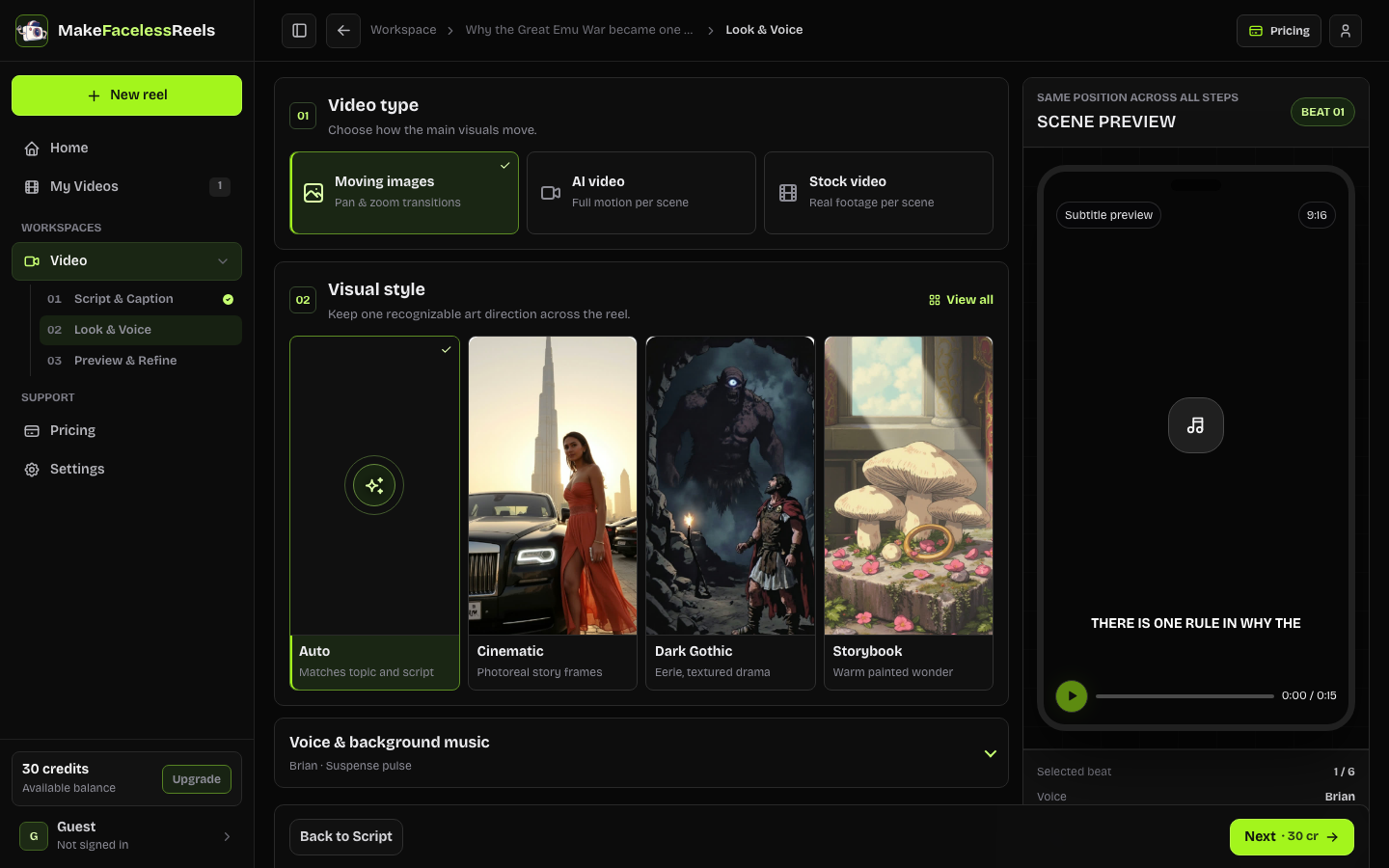
Click Next. If you are not signed in, this is the login gate.
Step 4. Preview each scene, then generate
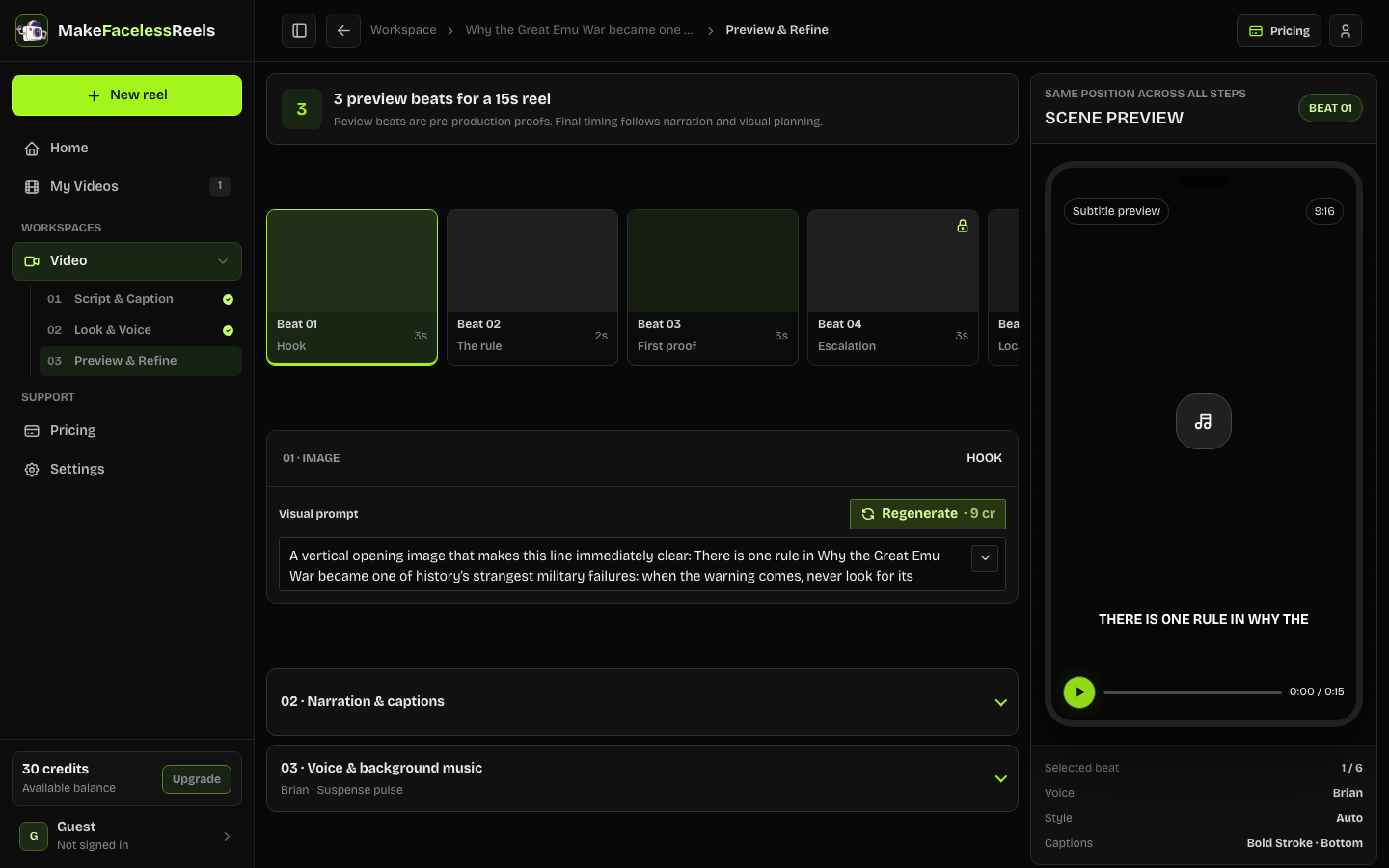
Preview & Refine shows storyboard stills with the caption for each beat.
Click any weak scene. Change the visual prompt or regenerate that scene only. Leave the rest.
Check three things:
- Scene 1 matches the hook, not a generic “person thinking in bed”
- On-screen text does not cover the subject
- The last scene lands the payoff (close one loop tonight), not a new topic
When the board looks postable, click Generate full video. Credits are shown on the button before you confirm.
Rendering takes a few minutes. Stay on My Videos until the file is ready. Open the preview. If the middle scene is the problem, go back and regenerate that scene instead of starting from a new idea.
Step 5. Download the MP4 and upload it in TikTok
In My Videos, click Download. You get a vertical MP4 with captions already burned in.
On your phone (or TikTok web):
- Upload the MP4
- Write a caption that repeats the hook, not a keyword dump
- Add 3 to 5 relevant tags, not 20
- Post as original content
- If the video uses realistic AI imagery, follow TikTok’s current AI disclosure labels for your account
Do not add another watermark on top of the export. Check the cover frame: it should be the hook image, not a mid-video still.
The same 9:16 file can go to Instagram Reels, YouTube Shorts, and Facebook Reels. Change the first line of the caption for each app. You do not need a second render.
If the video feels generic
Usually one of four things is wrong:
| What you see | What to change |
|---|---|
| People swipe at 1 second | Rewrite only the first spoken line |
| Every scene looks like stock | Change visual style, then regenerate the weak scenes |
| Voice fights the music | Lower music or pick a calmer voice |
| Ending asks for a follow | Cut the CTA or make it one concrete next step |
Make one video. Watch it on mute, then with sound. Post that file. The second video is where you reuse the same style and voice so the account looks like one channel.
Frequently asked questions
Do I need to show my face?
No. Faceless here means the video is carried by narration, captions, and scene visuals.
Do I need CapCut?
Not for this path. Captions are burned in before download. Use CapCut later only if you want a trending sound under the voice at very low volume.
Can I auto-post to TikTok from the site?
Not in the current release. Download, then upload. You keep the review step.
Will TikTok pay for this?
Faceless and AI-assisted videos are not automatically disqualified. Copied clips, unlabeled realistic AI, and thin mass-produced posts can still fail eligibility. Check Creator Rewards rules in TikTok Studio before you plan around RPM.
Next
Use the same style and voice for the next six videos. Change only the topic. That is how a faceless account starts to look intentional.
For more faceless TikTok ideas, stay inside one niche from the niches guide or start a new 60-second prompt in the AI TikTok video generator.
Official Sources
- About AI-generated content, TikTok Help Center
- Creator Rewards Program, TikTok Help Center
- Community Guidelines, TikTok
Sources checked September 16, 2026. Platform labels, eligibility, and upload rules can change by region and account type.