- YouTube Shorts
- TikTok
- Instagram Reels
- Facebook Reels
Faceless reels format references
Create Faceless Reels From an Idea or Script
Makefacelessreels is a faceless reels generator for creators who publish short videos without appearing on camera. Start with an idea or script, then shape the hook, voiceover, visuals, captions, and scene plan before rendering, exporting, and publishing the finished reel. Read the faceless reels guide for the definition, workflow, and publishing limits.
Already know the format? Open the AI faceless video generator, the YouTube Shorts generator, or a faceless video template. Prepare the upload with the YouTube tag generator. The free credits, legit, and history pages spell out the limits. Switching from another app? Compare AutoShorts, Crayo, StoryShort, and AITuber.
Create Faceless Reels NowStart with an Idea or Script
Each input enters the same controlled faceless reels workflow. Choose the starting point that matches your work, then turn it into one clear reel brief.
Idea to faceless reels
Describe a story, fact, lesson, or question. Turn the rough angle into a short, structured reel brief.
Script to faceless reels
Bring a complete or rough script and tighten the opening, voice direction, captions, and scene plan before approval.
How to Make Faceless Reels
Confirm the words, build the visual and sound direction, then preview scenes and captions before spending credits on a full generation. The finished reel and export controls stay together in My Videos.
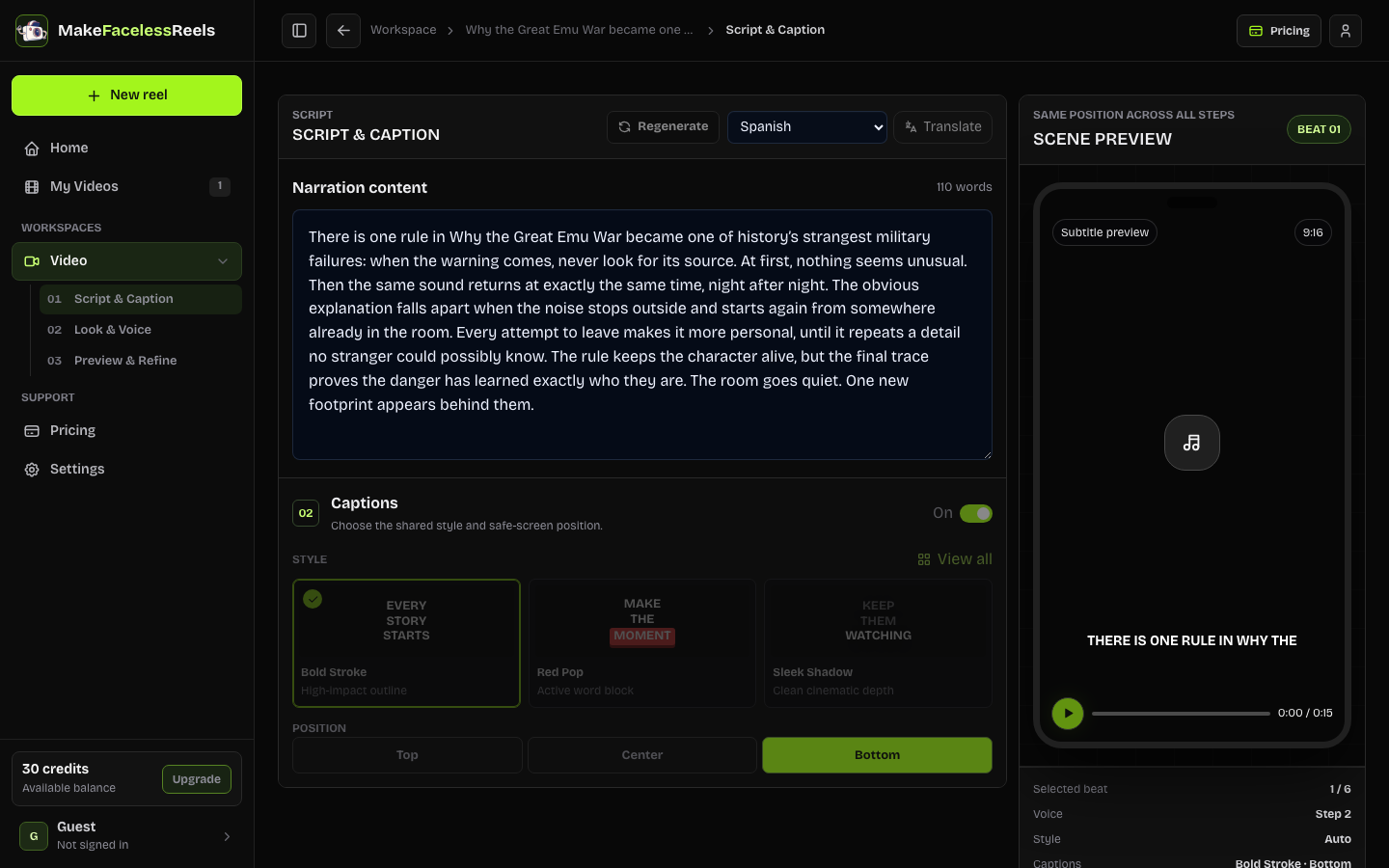 Step 01 / Script & Caption
Confirm the script and captions
Review the narration, edit or regenerate the script, translate it into any supported language, then choose the caption style and position before approval.
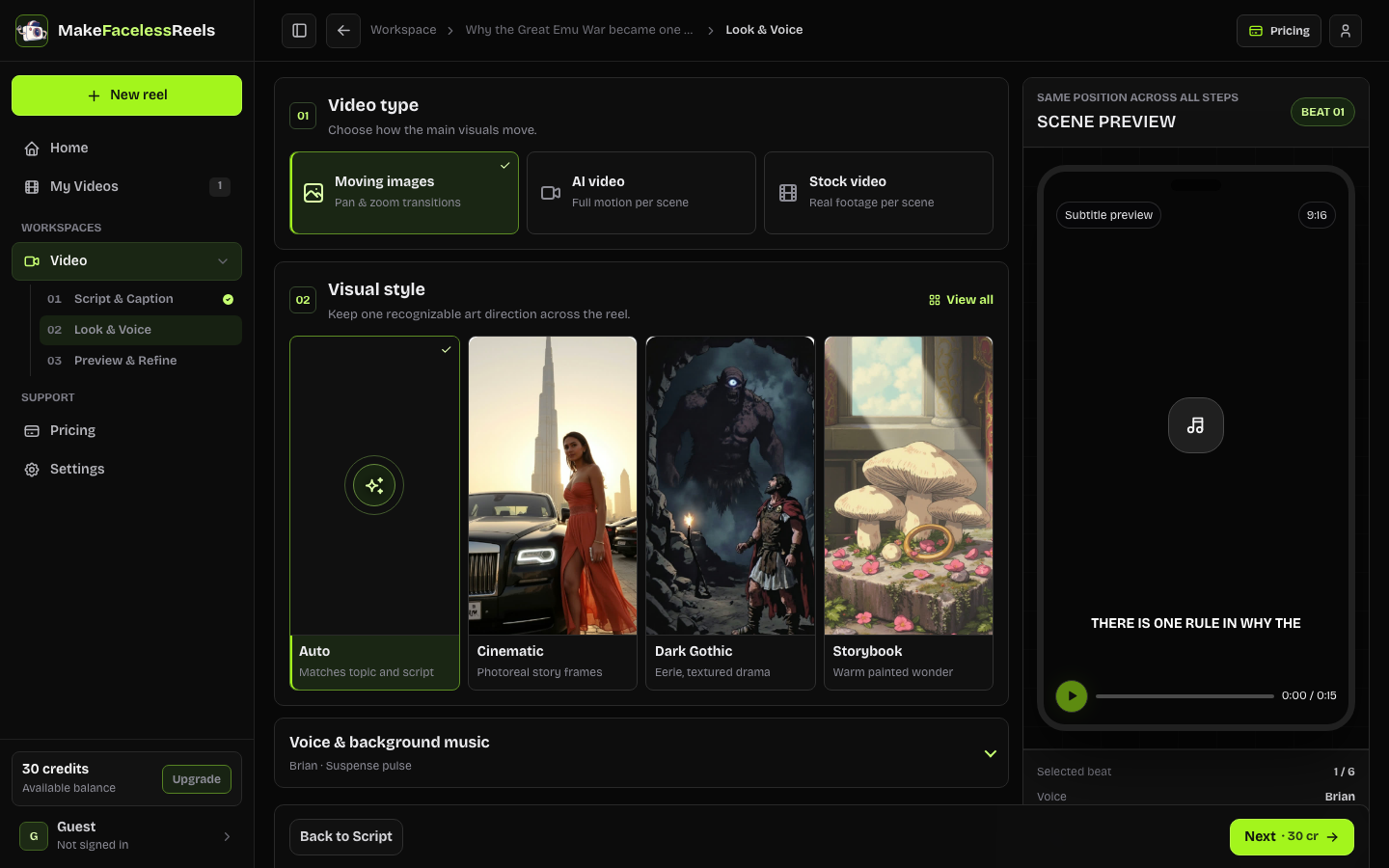 Step 02 / Look & Voice
Build the look and sound
Choose from 17+ visual styles, select a voice, and set the background music so the imagery, narration, and sound share one clear direction.
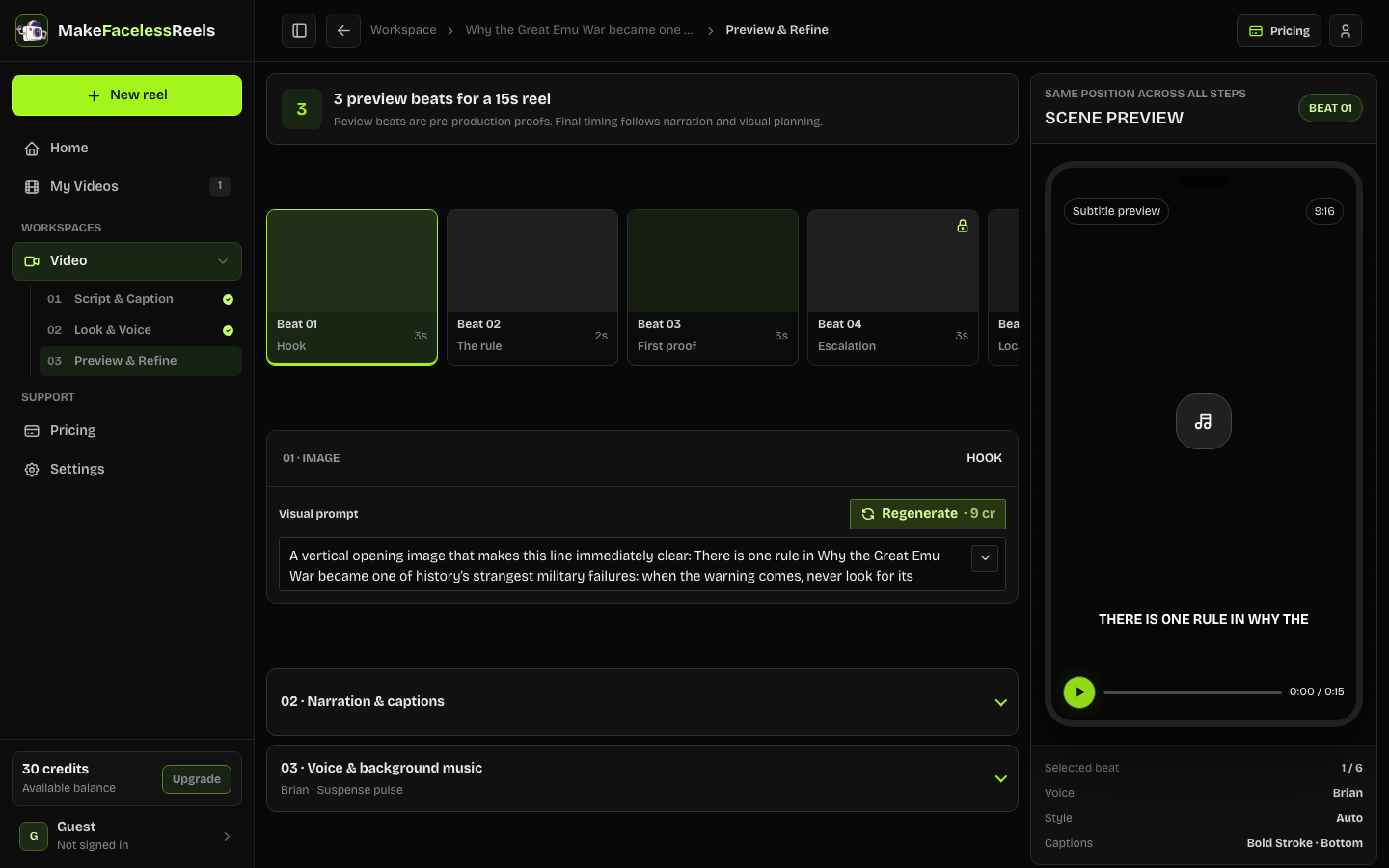 Step 03 / Preview & Refine
Preview and refine each scene
Inspect storyboard images and captions before full generation. Refine a prompt or regenerate a weak scene, then generate the reel and finish it in My Videos.
Built for Different Content Types
Different content types need different structures. Choose the one that matches what the reel needs to communicate, whether you work alone or with a team.
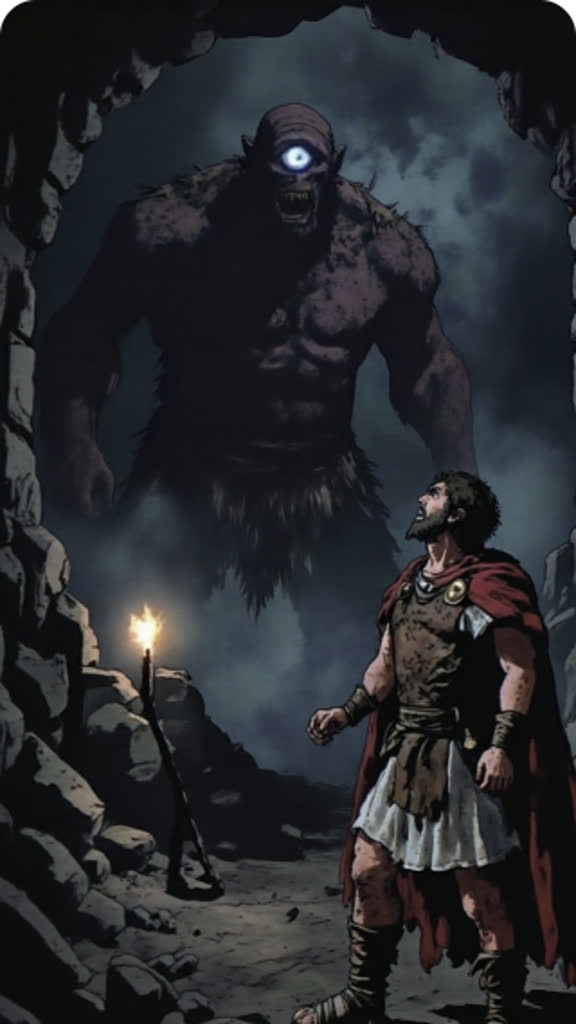
Story-led faceless reels
Horror, mystery, confession, drama, and history stories that need a fast hook, clear escalation, and a visual mood that supports the narration.

Educational explainers
Turn articles, facts, history, science, and research notes into focused faceless reels with a clear mechanism, example, and takeaway.

Advice and analysis
Finance, psychology, wellness, and self-growth topics where claims, context, caveats, and the final action need a careful review before production.

Trend-led faceless reels
Use a popular reel as a format reference, then change the topic, hook, script, visuals, and voice direction to make an original version.
Everything You Can Shape Before Generation
Creating faceless reels takes more than a generated script. These controls keep the hook, story, sound, visuals, language, and destination aligned before a production step is approved.
Bring the idea or script you already have
Create faceless reels from a topic, research notes, or rough script. Keep your material visible while you shape your own angle.
Create focused faceless reels from one topic at a time
Shape the hook, pacing, and payoff around a single idea across a 15-second to 5-minute reel instead of cramming disconnected ideas into one video.
Give every scene a deliberate look
Choose a visual direction, then check whether each scene supports the line it illustrates. Repair a weak scene without throwing away the whole reel brief.
Review the hook, script, captions, and storyboard first
See the decisions that affect watch time before you render, export, and publish: the opening line, narration, captions, duration, visual prompts, and scene order.
Make the voice and soundtrack fit the message
Choose the voice direction and background-music treatment as part of the same faceless reels workflow, then review how they work with the script before approval.
Adapt the language without rebuilding the creative brief
Create in English, Spanish, Portuguese, Indonesian, Japanese, Hindi, Turkish, or Vietnamese while keeping the topic, structure, and review decisions together.
Plan for YouTube Shorts, TikTok, Instagram Reels, and Facebook Reels
Keep one vertical brief for YouTube Shorts, TikTok, Instagram Reels, and Facebook Reels. Platform planning stays separate from language and content type.
Know What You Are Making Before You Generate It
Each creation step gives you a useful proof before the full video is generated. Confirm the message, combine a visual style with the right voice and music, then inspect real scene previews while changes are still quick to make.
- Lock the words first: edit or regenerate the narration, translate it into eight supported languages, and choose how captions look on screen.
- Shape the look and sound: compare 17+ visual styles, preview voice options, and choose music that adds energy without fighting the narration.
- Preview before the full render: inspect scene images with captions, refine a prompt or regenerate only the weak scene, then generate the reel and finish it in My Videos.
Built Around the Decisions Creators Make
Comments focus on the product work that matters: starting from real material, reviewing every scene, shaping the sound, and getting one finished reel ready for each named platform.
— Sarah Chen · Story-led creatorI can start with a rough story idea, tighten the hook, and see the scene plan before I commit to the full reel.
— Priya Nair · Source-based creatorThe URL and script inputs keep my source material attached to the creative decisions instead of making me rebuild the brief from scratch.
— Chloe Zhang · Visual plannerScene-by-scene review makes it obvious when a visual prompt does not support the narration, so I can repair that scene early.
— Daniel Ortiz · Audio-focused creatorVoice, music, captions, and pacing are visible in one workflow. I know the reel sounds right before I render it.
— Sofia Patel · Multilingual creatorThe same creative direction can move from English to Spanish, Portuguese, Indonesian, Japanese, Hindi, Turkish, or Vietnamese without losing the story.
— Marcus Rivera · Distribution-focused creatorOne approved reel is ready for YouTube Shorts, TikTok, Instagram Reels, and Facebook Reels, so I can focus on the content instead of separate platform handoffs.
What You Can Use Today
For faceless reels, the current release takes your raw material through scripting, creative review, generation, and export. You can shape the content and approve the creative direction before preparing the finished reel for your chosen platform.
Build the creative
- Idea and script input
- Hook, script, voice, music, captions, visual style, and scene review
- English, Spanish, Portuguese, Indonesian, Japanese, Hindi, Turkish, and Vietnamese
- Create faceless reels from 15 seconds to 5 minutes
Finish and prepare to publish
- Render and export the finished video
- Analyze popular reel references for direction
- Prepare one brief for YouTube Shorts, TikTok, Instagram Reels, and Facebook Reels
- Prepare the title, cover, watermark, and publishing copy in My Videos
Questions About Creating Faceless Reels
What are faceless reels?
Faceless reels are short vertical videos built from narration, captions, images, stock footage, animation, or other visuals without requiring creators to appear on camera. Quality still depends on the hook, voice, pacing, and visual choices.
How do I make faceless reels?
Start with an idea or script, choose the content direction, review the hook, voice, music, captions, and storyboard, then render, export, and publish finished faceless reels.
Can I create faceless reels from a script?
Yes. Paste a complete or rough script, then shape its hook, pacing, voice direction, captions, and scene plan before generation.
What can I review before generating faceless reels?
Review the hook and script, voice direction, background music, visual style, captions, duration, and scene-level prompts. Repair the weak beat while the brief is still editable instead of finding it after a render.
What types of content work well for faceless reels?
Story-led reels, educational explainers, advice and analysis, and trend-led formats are a good fit. Each reel should keep one clear topic, a strong opening, and a payoff that works in a short vertical video.
Which languages and platforms are supported?
Makefacelessreels supports English, Spanish, Portuguese, Indonesian, Japanese, Hindi, Turkish, and Vietnamese. It also supports YouTube Shorts, TikTok, Instagram Reels, and Facebook Reels through one vertical brief.
Does Makefacelessreels publish automatically?
Automatic publishing is not part of the current release. My Videos prepares the 9:16 export, title, cover, watermark, and publishing copy so you can upload the finished reel to your chosen platform.
What is available in the current release?
The current release covers the faceless reels workflow from idea or script input through narration, scene review, voice, music, captions, visual styles, full generation, and export in My Videos.
Make Faceless Reels Easier to Get Right
Create faceless reels from an idea or script. Build the brief, review the important decisions, then generate and finish the export in My Videos when the story is ready.
Start Creating Faceless Reels for FreeScary stories · One reel · English · 15s by default